Posted On April 21, 2022

How to install RestroFood WordPress Plugin?

aliana 0 comments
Order Page | Aliana Cafe & Bakery >> Uncategorized >> How to install RestroFood WordPress Plugin?

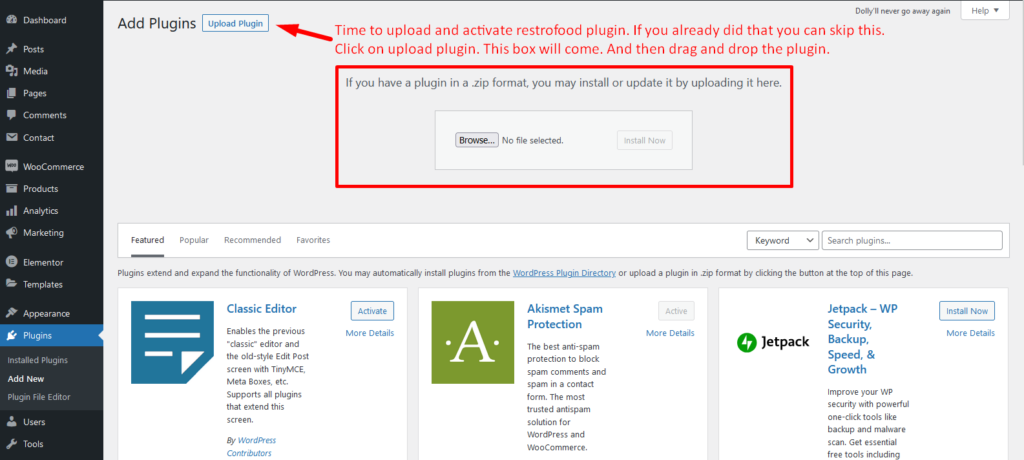
Download The copy of the plugin as a zip file, you can manually upload it and install it through the Plugins admin screen.

  1. Navigate to Plugins > Add New.
  2. Click the Upload Plugin button at the top of the screen.
  3. Select the zip file from your local filesystem.
  4. Click the Install Now button.
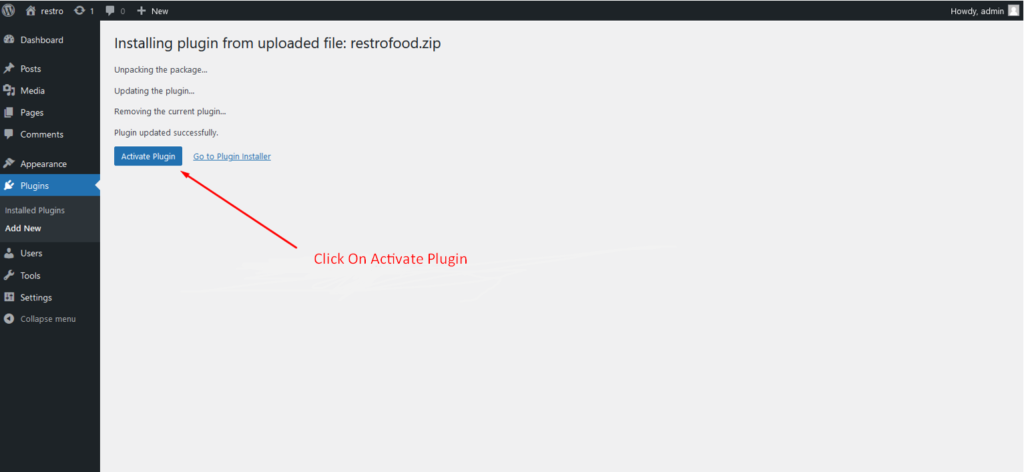
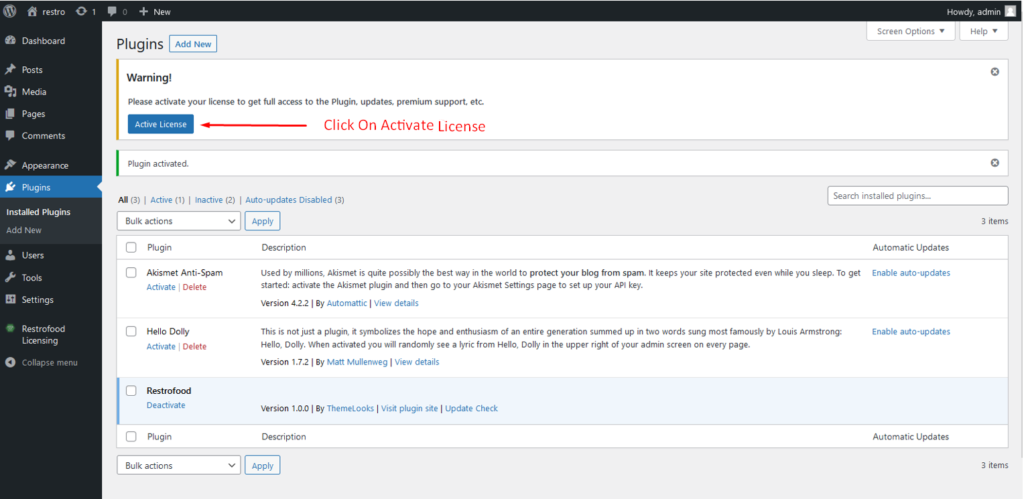
  5. When the installation is complete, you’ll see “Plugin installed successfully.” Click the Activate Plugin button at the bottom of the page.
Leave a Reply

Your email address will not be published. Required fields are marked *

Related Post

How to work product visibility system?

Item visibility is divided into several mealtimes- Breakfast, Lunch, Dinner, Snack, etc. The item which…

How to import product demo data?

Upload the xml file. Note: You should upload restrofood product xml first then restrofood media…

How To Set & Use Flash Sale Slider Section?

Restrofood provides a flash sale slider Elementor widget to show on sale products. Follow the…