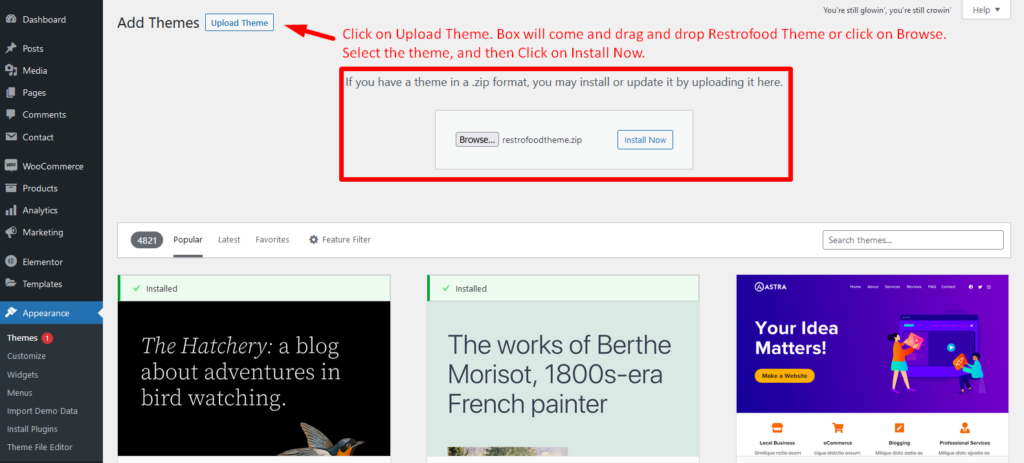
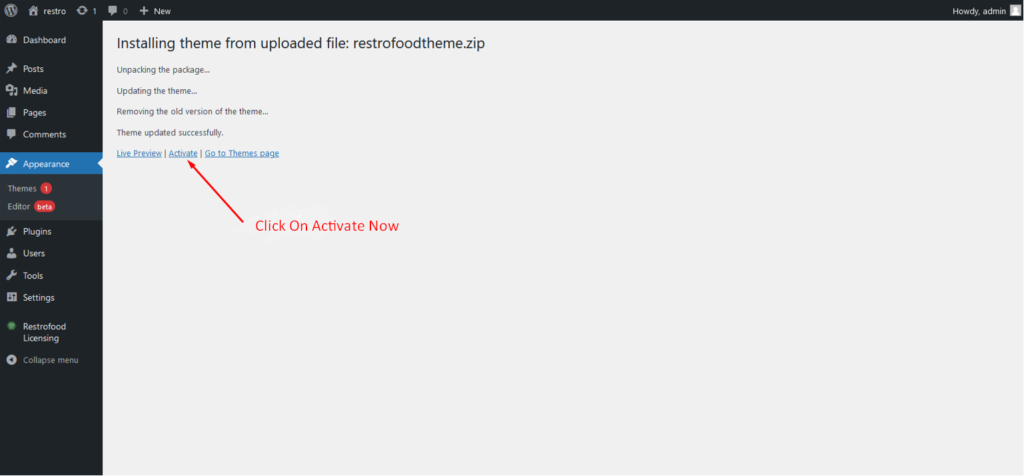
Go to Appearance -> Themes -> Add New -> Upload Theme -> Browse and Install Now
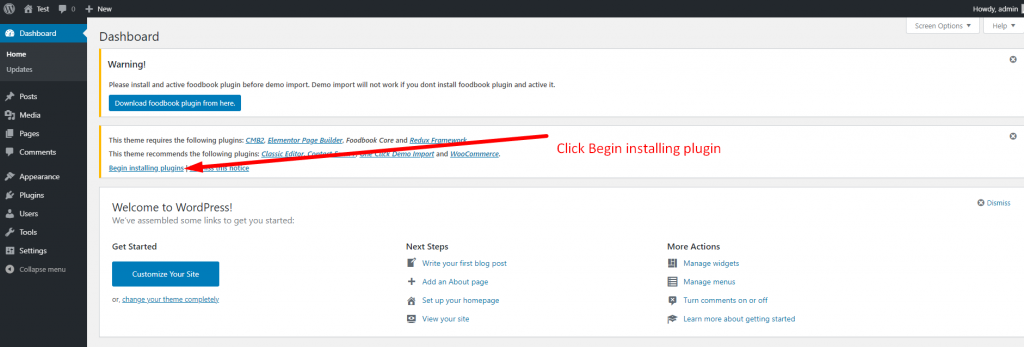
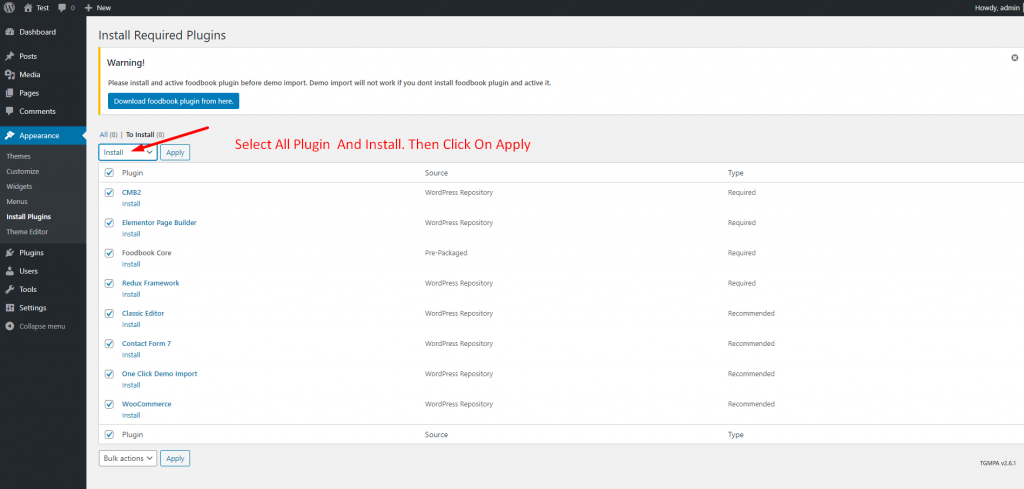
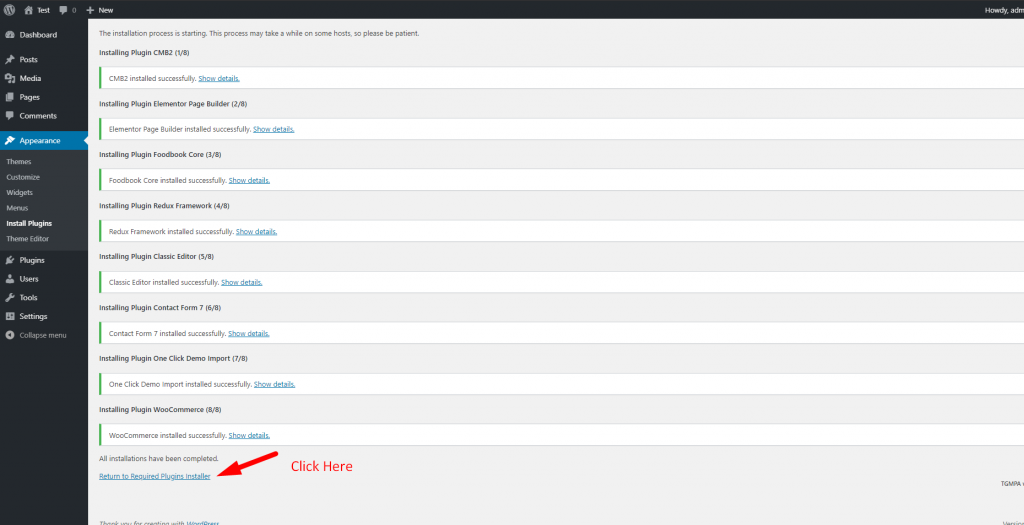
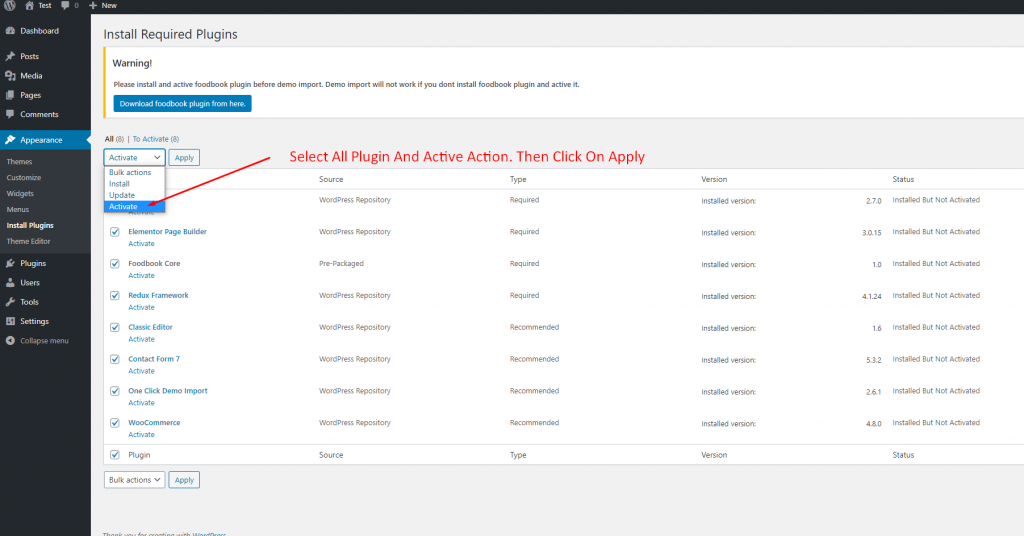
You will need to install some required plugins to work the theme properly. Follow the below screenshot.
Categories:
Your Cozy Place for Homemade Food and Coffee
Go to Appearance -> Themes -> Add New -> Upload Theme -> Browse and Install Now
You will need to install some required plugins to work the theme properly. Follow the below screenshot.