Posted On April 21, 2022

Admin Login and Page

aliana 0 comments

RestroFood provide custom login page for manager admin. The default manager admin login page is /admin ( your-domain.com/admin ). Branch, kitchen manager and delivery boy should be login from here.
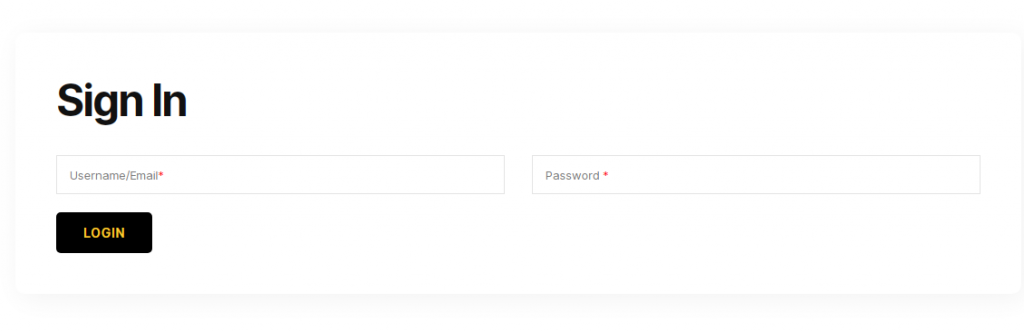
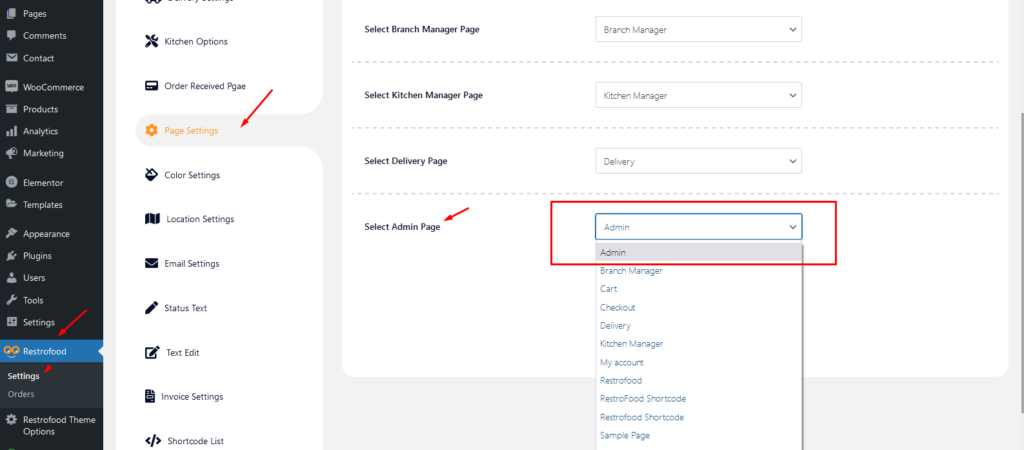
If you want to change the admin page you will do it easily. At first, create a page which you want as an admin page and go to settings options Page Settings -> Select Admin Page you will see the created page here now select and save. You could follow the screenshot for more clear :
Leave a Reply

Your email address will not be published. Required fields are marked *

Related Post

How to import product demo data?

Upload the xml file. Note: You should upload restrofood product xml first then restrofood media…

What is branch order manage in admin?

The main admin can see and controls all branch orders from Branch order manage page.…

Where are the invoice settings?

Follow the screenshot to get invoice settings options.