Restrofood provides an awesome and flexible shortcode to increase user experience and flexibility.
Product Page Shortcode:
Shortcode Example 1:
[restrofood_products]Use this shortcode to show products with all default settings
Shortcode Example 2:
[restrofood_products col="4" cat="accessories" layout="grid" sidebar="yes" search="yes"]
Use this shortcode with attributes to change settings like yours.
Delivery ability checker form:
Shortcode Example 1:
[restrofood_delivery_ability_checker]Use this shortcode to show products with all default settings
Shortcode Example 2:
[restrofood_delivery_ability_checker button_text="search"]Use this shortcode with an attribute to change settings like yours.
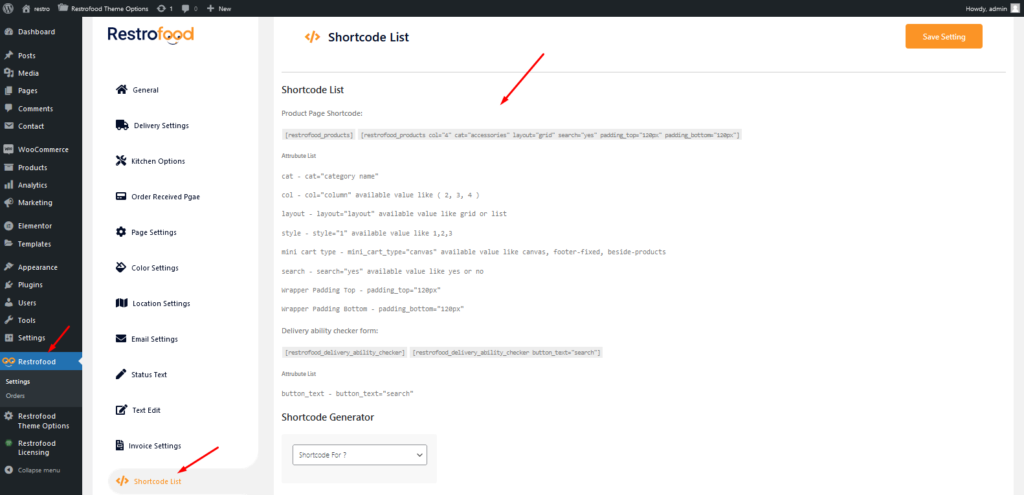
Flow the screenshot to find the shortcode from the admin settings page:
Categories: